Semantic Bridge
Note
The Semantic Bridge is in public preview. It has limitations as documented below, and the API and feature surface area are subject to change.
The Semantic Bridge is a semantic model compiler, with the capability to translate the structure and expressions of a semantic model from one platform to another. This allows you to reuse business logic on multiple data platforms, supporting end users and meeting them where they consume the data. It also allows for migrations from one platform to another.
Interface
Import Metric View YAML
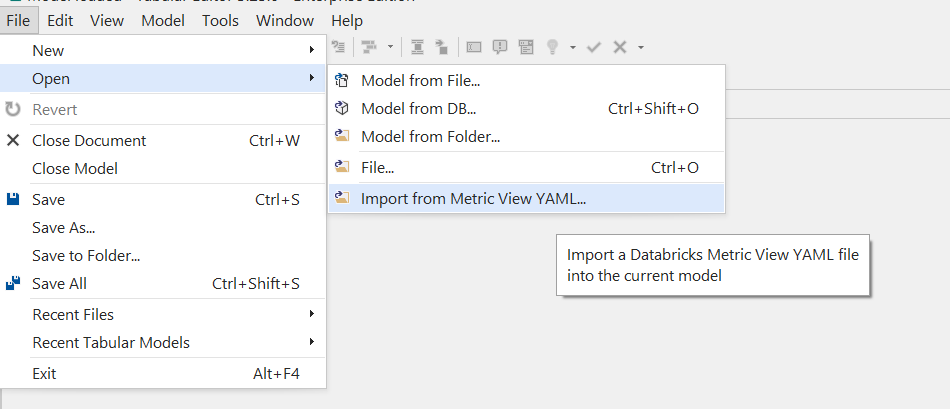
The Semantic Bridge is available through File > Open > Import from Metric View YAML. This will launch a dialogue to guide you through importing a Metric View into the current Tabular model, adding tables, columns, measures, and relationships based on the structure of the Metric View. You must have a Tabular model open in Tabular Editor. This can be a new, empty model or an existing model you want to enhance with the objects from the Metric View. The menu button will not be enabled until you open or create a new Tabular model.
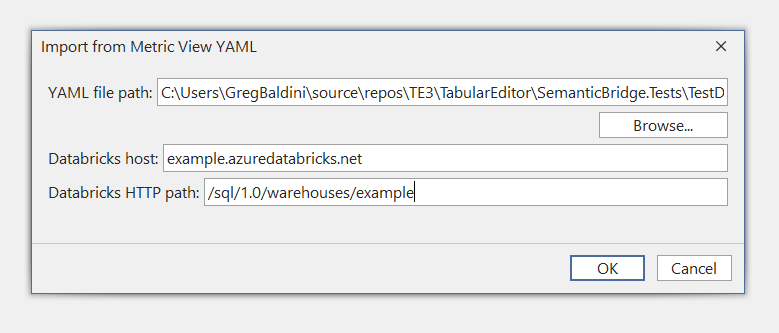
Enter Databricks connection details
You need to provide three details in this dialogue:
- The path to the Metric View YAML file. You can paste the path to the file or use the Browse button to find it.
- The Databricks hostname. This is to provide the correct argument in the M partition generated for the Databricks source system.
- The HTTP path for Databricks. This is to provide the correct argument in the M partition generated for the Databricks source system.
If you are just testing the translation feature, you can provide placeholder values for the last two items, but you will need to fix the M partition definitions before you can refresh data into your Tabular model.
After filling out the details, click OK. The Semantic Bridge will translate your Metric View to Tabular and create all the TOM objects for you.
Result
There are three possible results:
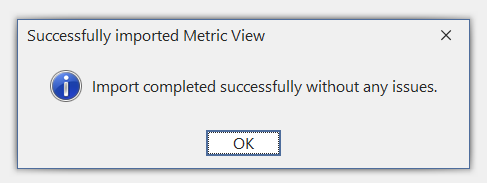
- Success: everything in the Metric View was translated to Tabular and you have a Tabular model ready to use.
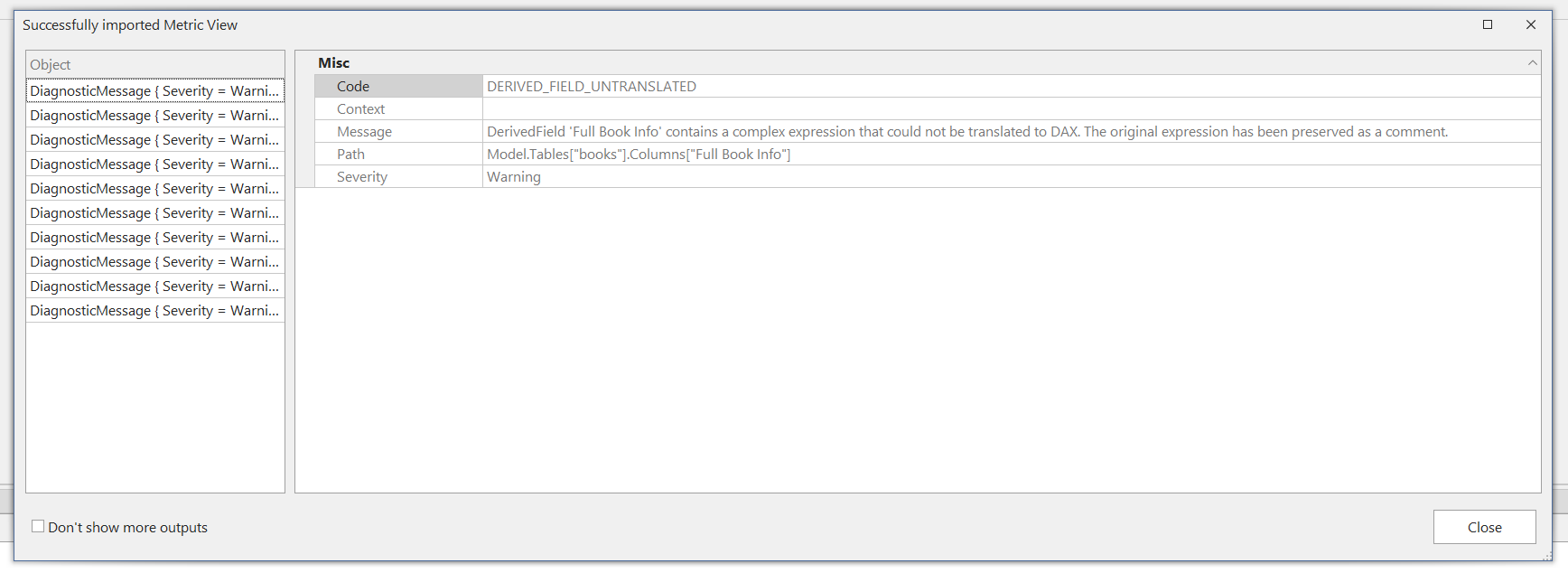
- Success, but with some issues: the Semantic Bridge was not able to translate every object in the Metric View; there are diagnostic messages you can view to understand what needs your attention.
- Failure: the Semantic Bridge could not translate the Metric View
After either success type, you can use undo/redo functionality like normal in Tabular Editor to undo or instantly replay the import.
Success
Success with issues
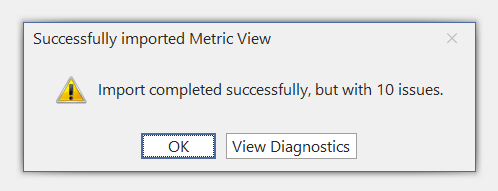
If you click on View Diagnostics, you can see a list of messages describing the issues in translation. These diagnostics are available for review later by outputting them from a C# script:
// Show all diagnostic messages from the last attempted import of a Metric View
var sb = new System.Text.StringBuilder();
foreach (var d in SemanticBridge.MetricView.ImportDiagnostics)
{
    sb.AppendLine($"[{d.Severity}] {d.Code} {d.Path}");
    sb.AppendLine($"    {d.Context} {d.Message}");
    sb.AppendLine();
}
Output(sb.ToString());
Failure
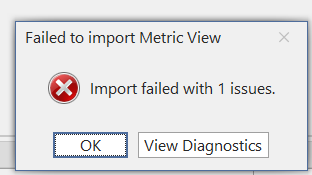
Viewing diagnostics for a failure is the same as for success with issues.
Limitations
Supported platforms
In the public preview, we support translations from a Databricks Metric View to a Tabular model.
Connectivity
The public preview does not connect to any platforms besides Fabric, Power BI, and Analysis Services. Working with models from other platforms, e.g., Databricks Metric Views, is based on local source files, such as a Metric View YAML definition.
Appendix on nomenclature
It can be confusing to discuss things when talking about the Semantic Bridge, as there are many words that have both generic and specific meanings, depending what level of abstraction we are talking about and which platform we are discussing. For example, the term "semantic model" is both generic, referring to the concept of a collection of data and business logic in some form suitable for supporting business reporting and analytical needs, and also the name Microsoft has adopted for referring to their specific implementation of this generic concept in Power BI and Fabric. Thus, a semantic model might generically refer to a Databricks Metric View, an OLAP / Multidimensional Cube, a Power BI semantic model, or a model hosted in another platform's semantic layer. Because of this, we have adopted the following definitions and standards in our documentation to maintain clarity and sanity.
Note
These conventions are only intended for documentation about the Semantic Bridge feature.
Definitions
- Semantic model: when used on its own always refers to the generic concept of a collection of data, metadata, and business logic to support reporting and analytics. If and only if it is immediately preceded by "Fabric" or "Power BI", then it is referring to that artifact type in that platform, specifically a Tabular model that is saved as TMDL or BIM and using M and DAX; we tend to prefer to use the term Tabular model to refer to the Power BI / Fabric semantic model to avoid this confusion where possible, because the Tabular model is shared across Power BI / Fabric as well as Analysis Services Tabular.
- Platform: a technology solution that has a semantic layer, on which a generic semantic model is hosted. Databricks Metric Views represent a platform; Fabric / Power BI represent a platform; Analysis Services Tabular is a platform; Analysis Services Multidimensional is a platform which we have no support for in the Semantic Bridge today.
- Serialization format: a way to represent a semantic model on disk in a textual format. TMDL and TMSL (.bim) are two serialization formats for a Power BI semantic model; YAML is the serialization format for a Databricks Metric View.
- Object model: an in-memory representation of a semantic model that we operate on in Tabular Editor via the Semantic Bridge either through GUI actions or C# scripts. The TOM or Tabular Object Model should be familiar to existing users of Tabular Editor. We have also created an object model for Databricks Metric Views, to allow manipulation of these in our tool.
General dimensional modeling terminology
There are many terms that exist generally in discussion of a dimensional model or semantic model and also in a specific platform's object model and serialization formats. For example, the term "measure" refers generically to a quantitative value that is aggregated in a dimensional model to represent a business metric of interest, but it also refers to a specific kind of object in both Databricks Metric Views and Tabular models; in a Metric View, a measure is a named SQL expression that defines an aggregation in the Metric View, and in a Tabular model a measure is a named DAX expression that defines an aggregation in the Tabular model. It is impossible to discuss the work of the Semantic Bridge without talking about multiple meanings of such words at once. For example, we talk about translating a Metric View measure to a Tabular measure. As such, we always refer to an object in a specific platform's model by saying the platform and the object, e.g., "Metric View measure" or "Tabular measure"; "Metric View field" or "TOM column". If the term is ever used without being accompanied by a platform's name, then we are discussing the idea generically.